
Pitch – CSS Components and Tweaks for Your itch.io Pages
Spice up and level up your project devlog jam profile page!
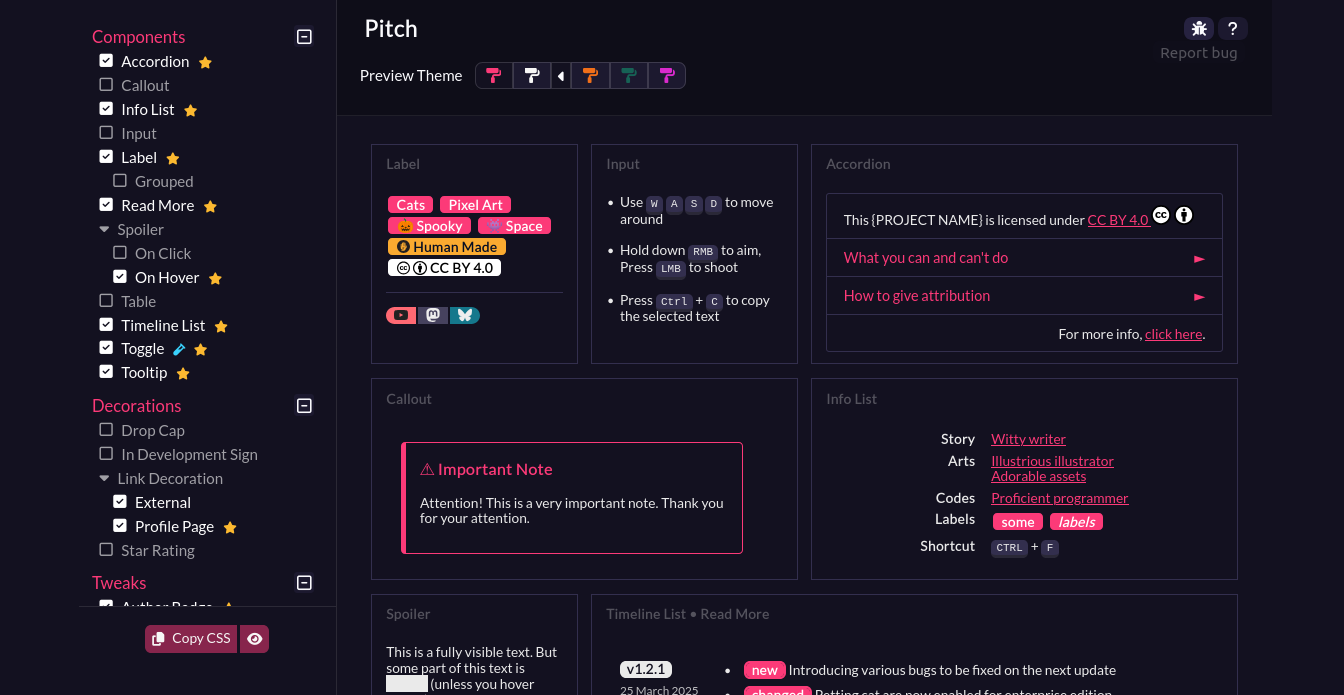
Pitch is a catalogue of ready-to-use, customizable CSS components and tweaks designed specifically for itch.io project, profile, jam, and devlog pages.


 Getting Started
This is a detailed walkthrough on how to use the app.
Note
Click Read more... if you're new to the app and CSS on itch.io
Requirements
- Custom CSS access on your itch.io account.
- Contact itch.io support to request the CSS access.
Please read the CSS Customization Guide first before proceeding.
- Contact itch.io support to request the CSS access.
- A little bit of HTML and CSS knowledge.
Using the app & the components
1
Browse and pick your components!
And copy its HTML codes.
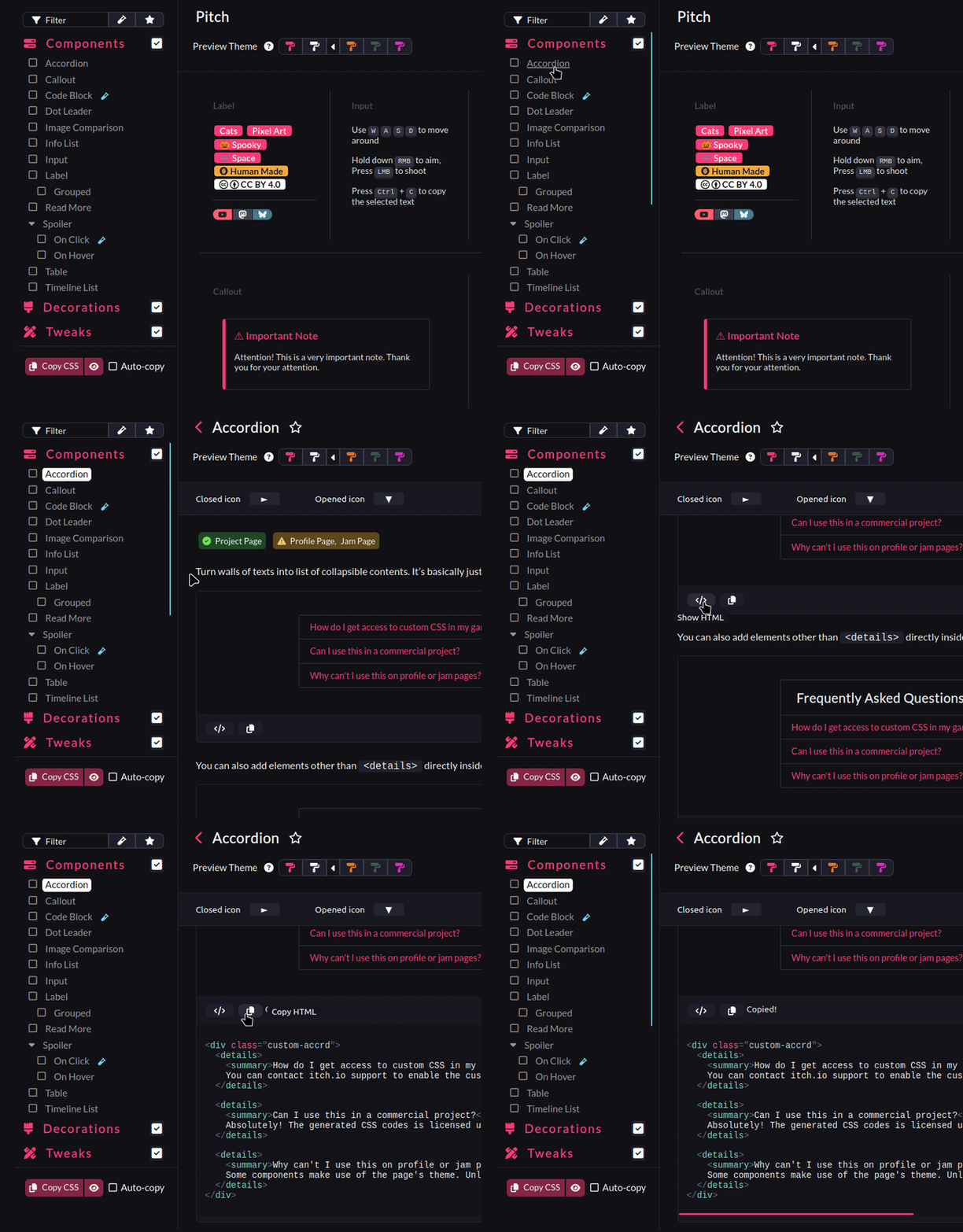
If you're unable to copy the HTML via the button. Select the HTML codes manually, and copy them via context menu right click > copy.
Copying the HTML
More on step #3.
2
Paste the HTML codes to your page's description content
Switch to HTML mode before pasting.
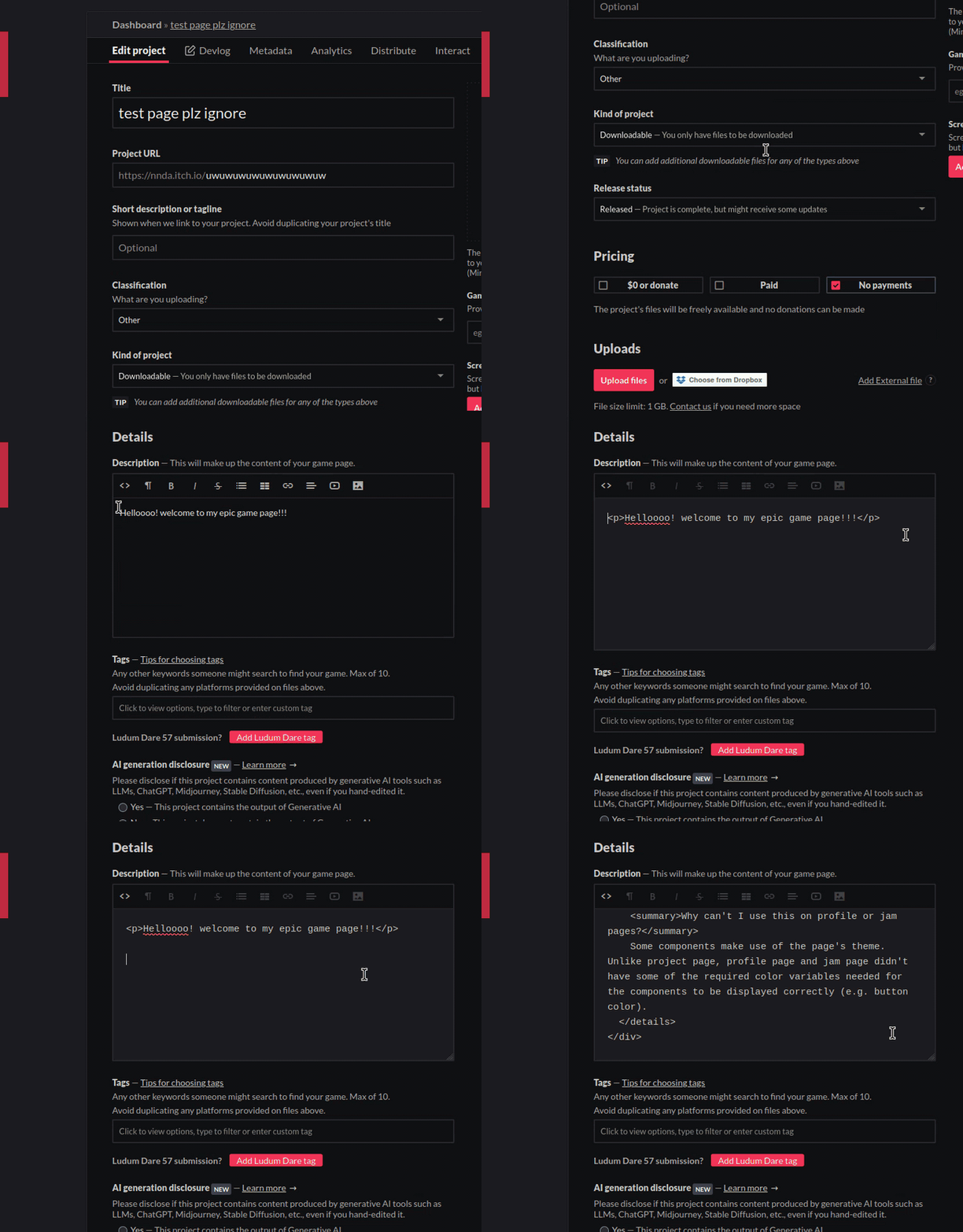
Once you edit your page's content in HTML mode, Its best to keep using HTML mode onward to avoid messing up the layout.
Paste the HTML codes via keyboard Ctrl + V.
Avoid pasting via context menu right click -> paste. As your changes won't be registered, when you click the Save button.
If you uses context menu to paste it, type something else too, a space, a random character that you deleted again, or anything, before hitting the Save button.
3
Grab the components/tweaks' CSS codes
Tick the components/tweaks that you want, and click the copy button.
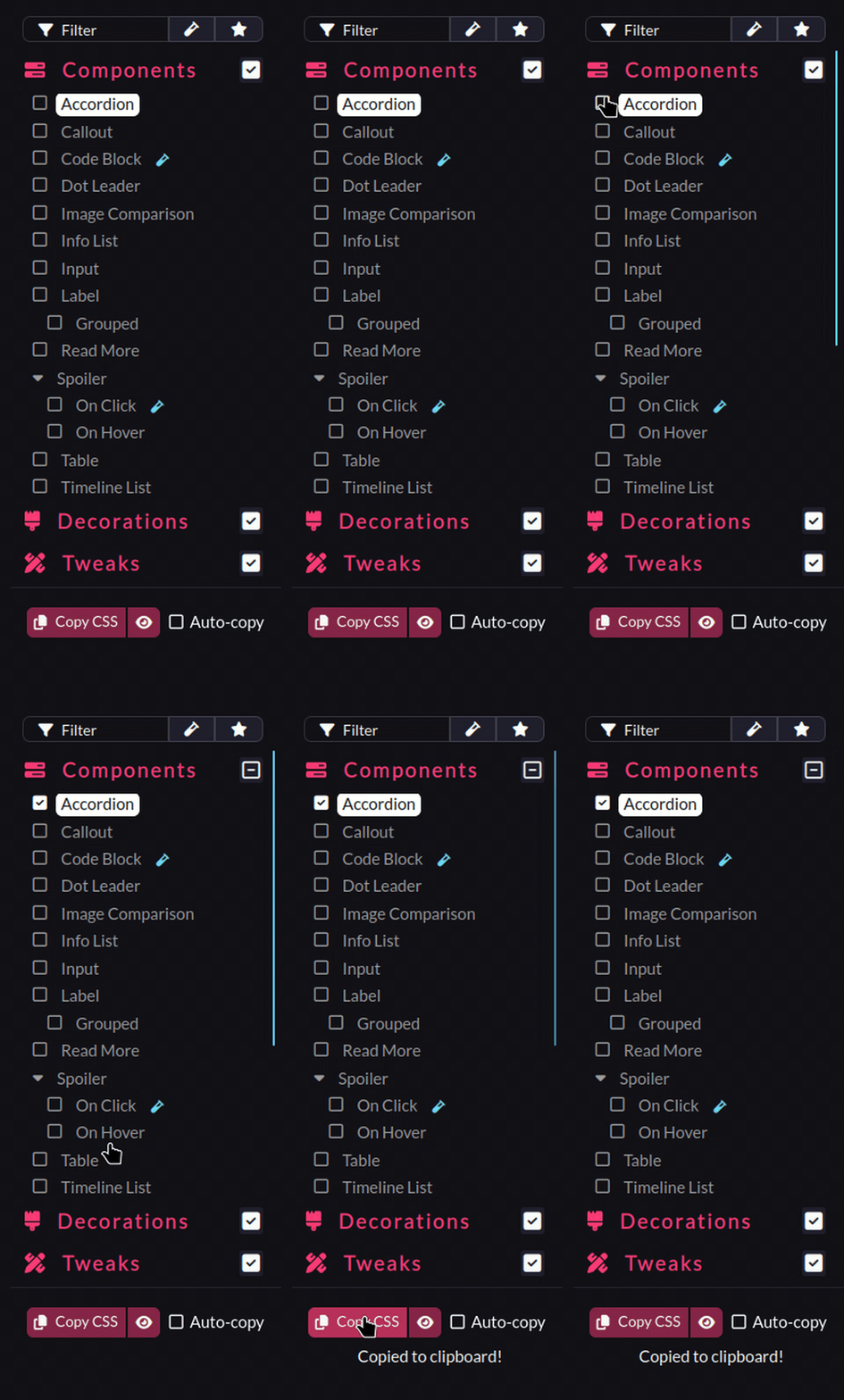
In case of the copy button failing to copy, toggle the CSS box, and copy them manually.
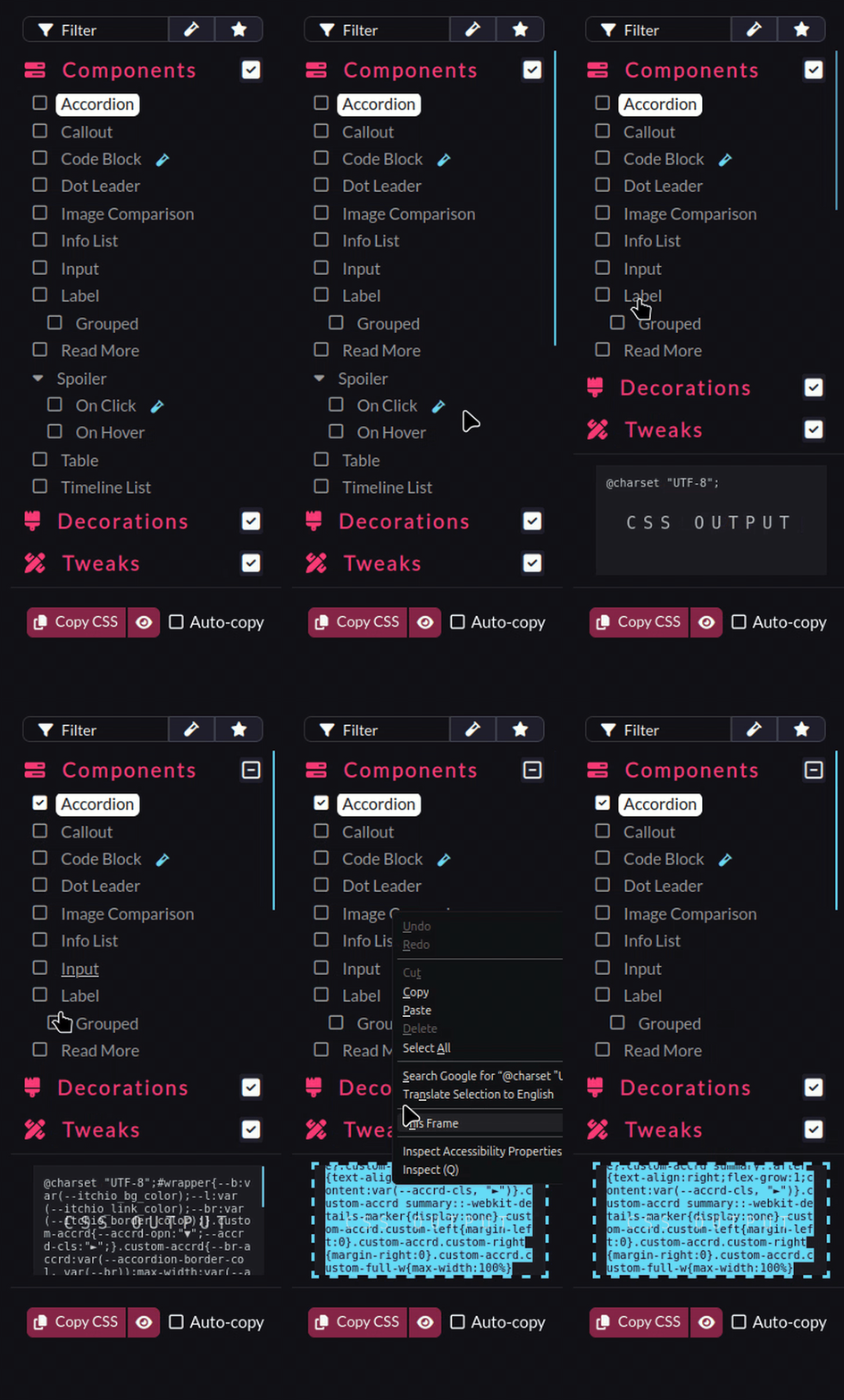
On Chrome or Chromium-based browsers, the copy button (for the CSS and HTML) won't work, because it requires a permission which itch doesn't allow.
If you're on Firefox or the itch app, the button should works fine.
4
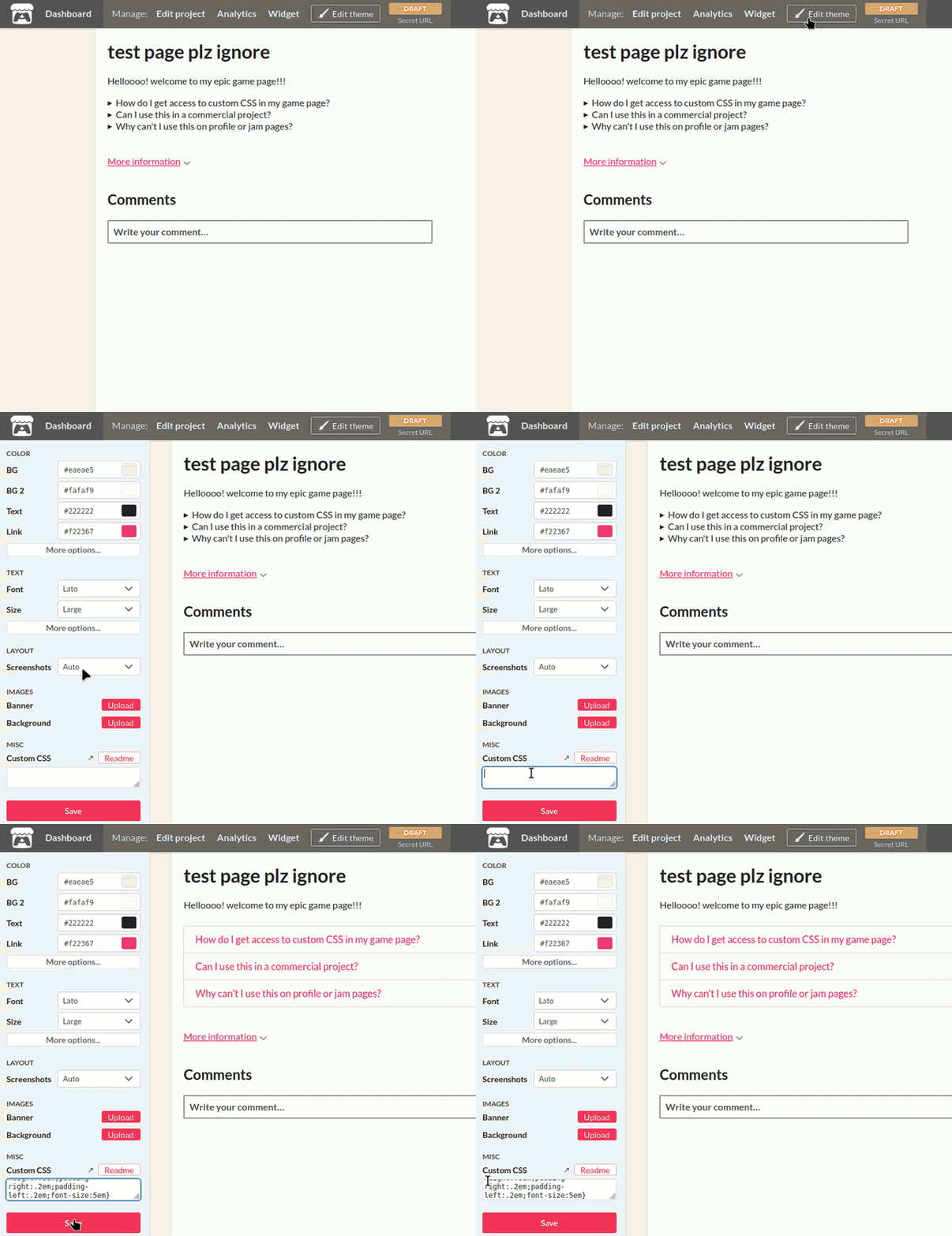
Paste the copied CSS to your page's theme editor.
If the custom CSS field is not there. That means you don't have the CSS access in your account.
 Best Practices & Tips
- Always back up and save your HTML & CSS codes to a file, everytime you make changes.
- Utilize your browser's developer tools.
- Use external code editor, like Neovim, Sublime Text, or Visual Studio Code to get the advantages like syntax highlighting, autocompletion, etc.
- Test your project's page against multiple screen sizes, and on multiple browsers, including the itch app before publishing it.
 License
- The Pitch web app is licensed under GNU AGPLv3.
- The CSS components are licensed under CC0.
- The placeholder content in the HTML preview and/or in the image preview may be subject to different license or copyright restrictions.
 Need Help With Your Page?
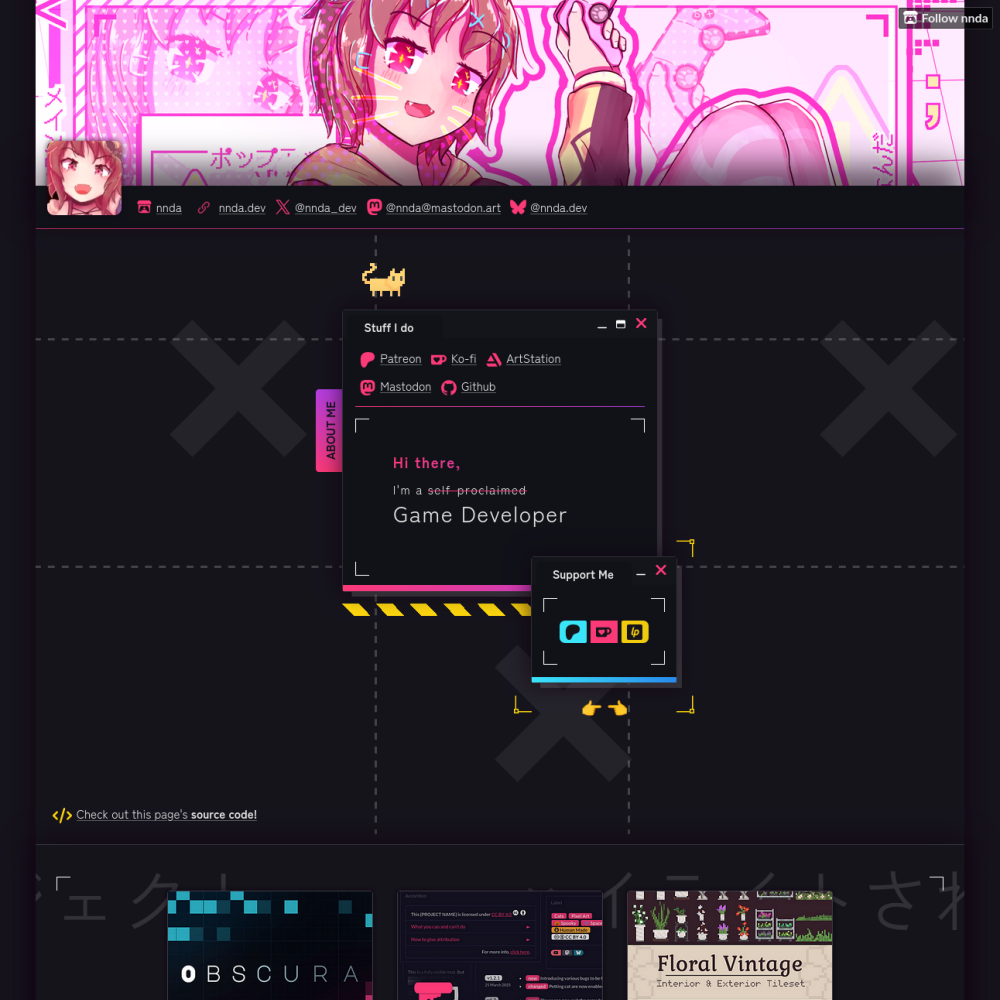
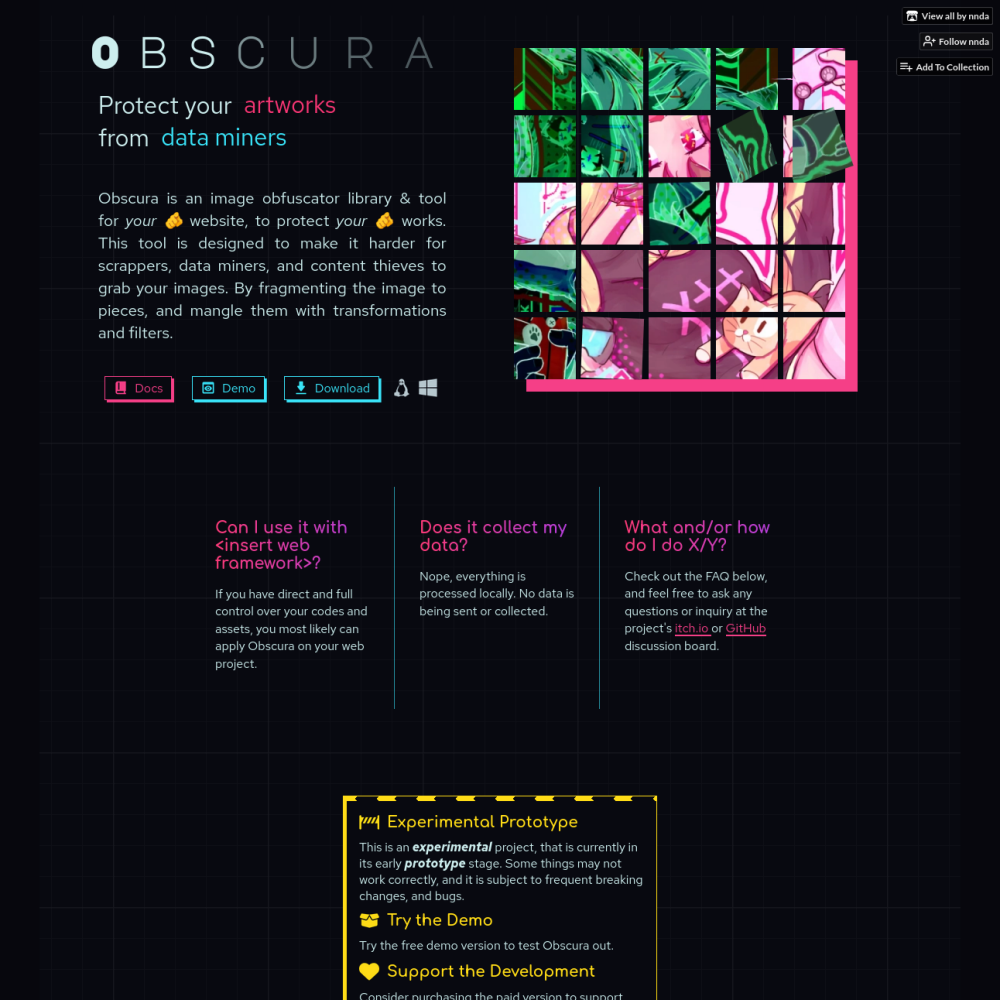
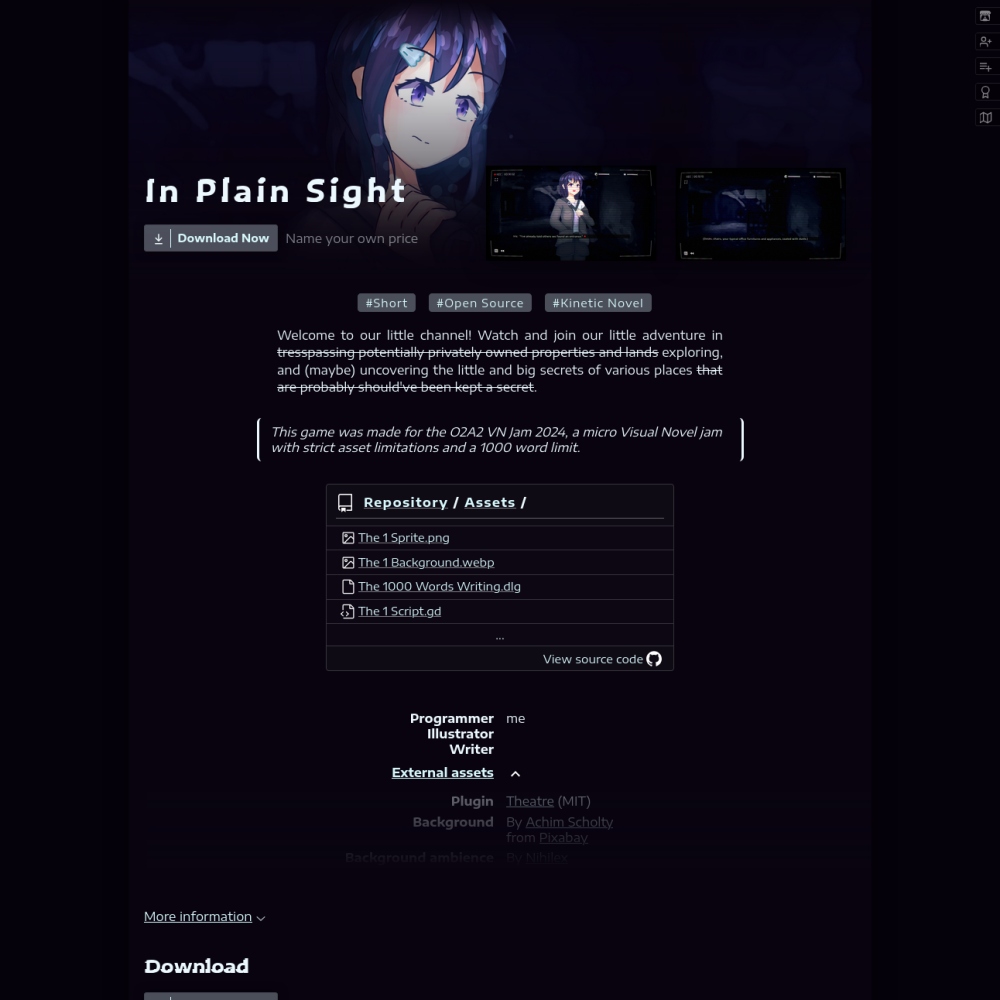
Want your page to look like these??
Check out my itch.io CSS commission listing on Ko-fi!
 Order now! $10
Check out my itch.io CSS commission listing on Ko-fi!
Order now! $10Use the code DEC2025 at checkout, to get 15% off!
 Support The Project!


Development log
- v3.0.0 Alpha 7 – Follower "Exclusive" Tweak11 days ago
- v3.0.0 Alpha 6 – Tree List & "Automatic" Comment "Moderation"!!15 days ago
- v3.0.0 Alpha 5 – Speed Dial, Vote Icons, & Notes + Announcement!!58 days ago
- v3.0.0 Alpha 2 – Dot Leader, Code Block, & Auto-copy!!Jul 23, 2025
- v3.0.0 Alpha 1 – Big Updates Are ComingJul 20, 2025
- Introducing our (experimental) CDN!Jun 17, 2025
- v2.1.0 – Features & Fixes!May 08, 2025
Comments
Log in with itch.io to leave a comment.
Hello! I am sorry to be a bother! I was wondering about the external / itch links CSS! I havebeen using them for quite some time amongst your other CSS bits but it looks like the font icon doesn't show up ^w^ I am unsure of what I am doing wrong!!
Thank you for putting this together. It has been a life saver!! The collapsible user tools really are everything as someone who prefers HTML5 uploads haha!
Hi! thank you for the kind comment, and no problem! ^^
The links decorations requires
custom-link-itchorcustom-link-extclass to be added to the<a>HTML element manually.Since the CSS doesn’t have the way to see which links point to profile page or external page yet. I should’ve word it better on the page T‿T”
Thank you!! I appreciated it!! I didn't realize you could use classes that wayon Itchio neat!! Thank you so much ^^
This is awesome!
Thank you for creating this tool! Making itchio pages look the way you want them to is not the most intuitive thing ever, so this will be very useful! <3
Ooooh hey there, this incredible! ;A; <3
Is there a way to include a "tabbed view" option, similar to the toggle view but with tabs? ;-; /
Hi! and thank you! <3
Yeah, I’ve been thinking about making ‘Tabs’ component, but I realized its just
Togglewith different skin -‿-”You can override/style the component’s CSS to achieve the tabbed-view appearance.
The CSS above will style
Toggleto:Just remember to put that CSS after the copied CSS from the Pitch app (ゝᴗ•)b
Oh that's already an incredible help, thank you! ; 0;
It works like a charm! <3
Another question if you don't mind (also I'm totally hitting up your ko-fi with a donation to thank you for your time and this tool), if I wanted to add additional custom content sections, how would I go about that? ;w;
omg thank u so much!!
For the content sections,
Togglecomponent in this version can only have two contents TwT”But! in the next update, you can have as many
Togglecontents as you want (It is actually done, and I’m sitting on it rn. Hopefully I can push this update today.)Here’s the new
Toggle’s CSS, it can have up to 5 contents (content-a→content-e), which you can still add by tweaking the CSS a bit if you need more!Use this instead of the one copied from the app in the current version.
You are ABSOLUTELY SUBLIME, THANK YOU! ;A; <3
The code works like a charm, thank you so much! ;_; <3
Whenever I click on any of the "copy CSS" buttons, I just get an error saying "failed to copy"
Click the ‘eye button’ besides the Copy CSS button. And copy the CSS manually from the box, via Ctrl + C, or via Right click menu.
Hope it helps!
The copy features is blocked on Chrome and Chromium-based browsers. But it works on Firefox and the itch app.
To piggyback off @Chicken502, this looks amazing, but even now with getting CSS functionality onto my pages, the code I copy from here doesn't do anything on my page.
Hi, thank you for the comment!
Can you specify which components/tweaks and to which page (project page, profile page) are you trying to add? and the way of how do you add/copy them?
honestly, I can't get any of the components to work. Each time I click on the copy button it says fail to copy. I've tried manually pasting as per your instructions, but nothing works when I've pasted things on the css box for both project and profile pages.
Hey!
I’ve updated the ‘Getting Started’ section of this page. I found and included some notes about copy-pasting stuff on itch.io
Take a look, and see if it’ll solve your issues.
That did it! Thank you so much!
This is looks incredible but I can't figure out how to add the css
On your project page, click the Edit Theme button, and paste the copied CSS onto the Custom CSS field.
Hope this help :)
If its not there, that means you don’t have custom CSS enabled on your account. You’ll have to contact support to have it enabled. Refer to this itch documentation page for more info.
Hey this is incredible, thank you for this awesome work that allow us to make beautifull game pages, all thanks to you !
This tool is wonderful! Would love to support once we get paid. Would it be possible to ask about manipulating right column / screenshot placement via CSS?
Thank you for the kind comment and the consideration! And sure, feel free to ask anything! We’re open to any inputs and inquiries.
Thank you! Would it be possible to request a tutorial on how to move the right column beneath the header div?
Hi, sorry for the late reply!
I assume you meant having the screenshot like in the mobile layout of the page?
You can force the mobile layout by setting it as flexbox and reverse the direction:
Thanks a lot! Been using a friend's game page to experiment with CSS since the feature isn't available on this account yet. If possible to ask, do you have any suggestions for fixing misaligned Video and Screenshot widths like this?
Ah, that little off spacing to the right of the video?
Try this:
Its just the
margin: auto;that centers it, the rest is optional to tidy things up.This is a very nice tool, I think it would be super cool to include something here which lets us section out the games like you have on your profile
Thank you for the comments!
For the main projects section, I used
Gridlayout, and for the collections, I usedListlayout in the page’s theme editor.As for the two-column layout of the collections, that was done through this custom CSS:
This works well thank you :) i tried doing it using the code on your github but i couldnt get it working, by the way for the new author badge I had to type “jackselleck” rather than “Jack Selleck” for it to work
Glad it helped! :)
Yea, for my profile page’s CSS, you’d have to build the CSS from the repo first. I’ve put the installation section for that in the readme. Its quite a mess of a system, because I want to save characters count. itch.io limits profile page’s CSS to 5120 characters for some reason :/
And yep, you need your itch.io’s username, instead of the display name for the Author Badge.
Very useful tool ! Thank you <3
Can you please add a section for components like hover on a game window on creator page/Outline/some tweens and other cool CSS effects ? :)
Thank you for the comments!
I’ve been a little hesitant on adding hover effects or animation-related stuff. Since I’m aiming more on CSS stuff for the page’s content.
But I do plan on adding more decorations, including animation-related tweaks.
And if or when there’s the components/tweaks like you’ve described, it’ll probably be under the ‘Decorations’ or ‘Tweaks’ section/category :)
Thank you <3
CSS Hover effects and animated stuff, or even a tiny outline, can give a huge boost to the user itch store page and make it look appealing !
Hope to see it soon in your tool :)
Hello, any way to get the code for the Preview Theme switcher ? I would love to add a swicther like that in my page
Hi, the buttons are actually just radio-type
<input>elements. I don’t think you can insert it in project pages directly, since input/form elements will be sanitized.The project is open source. Here’s the snippet of the codes that makes the buttons if you’re interested:
Script: https://github.com/nndda/Pitch/blob/80ac0c31949f5ef281493bcbb7d416ca868be869/src/app/scripts/themes.ts#L61C1-L74C7
Styling: https://github.com/nndda/Pitch/blob/80ac0c31949f5ef281493bcbb7d416ca868be869/src/app/styles/_input.scss#L107C1-L140C2
Thank you very much for your answer, it is awesome to see that you are still very active!
Hello, I liked the idea of the program, but I want a Linux version AppImage
This really helps a lot thank you :-)
any way to make those “Responsive layout adapts to different screen sizes “ boxes? :3
thats not a part of the css components actually 😅 but heres the html & css source code for those https://gist.github.com/nndda/63ff54c575dbb9e9f6158dc8a446c0db
awww tysm :D